| |||||||||||||||||||||||||||||||||||||||||||||||||||||||||||||||||||||||||||
Tuesday, April 13, 2010
Municipiul Sacele - Telefoane Utile

Saturday, April 10, 2010
Cum îţi cumperi casă de la executări silite
Cea mai
dificilă etapă în achiziţionarea unui apartament executat silit este
găsirea ofertelor. Însă pot apărea neplăceri şi după ce aţi devenit
proprietar, dacă cei executaţi silit nu vor să părăsească imobilul.
Persoanele care vor sa cumpere un imobil scos la licitaţie sunt obligate să depună la CEC, la dispoziţia executorului judecătoresc, până la termenul stabilit pentru vânzare, o cauţiune reprezentând 10% din preţul la care a fost evaluat imobilul. Dovada consemnării va fi ataşata ofertei de cumpărare.
Persoanele care vor sa cumpere un imobil scos la licitaţie sunt obligate să depună la CEC, la dispoziţia executorului judecătoresc, până la termenul stabilit pentru vânzare, o cauţiune reprezentând 10% din preţul la care a fost evaluat imobilul. Dovada consemnării va fi ataşata ofertei de cumpărare.
Licitaţia începe prin citirea
de către executor a publicaţiei de vânzare şi a ofertelor primite
până la acea dată. Executorul va oferi spre vânzare imobilul, prin
trei strigări succesive, la intervale de timp care să permită opţiuni
şi supralicitări, pornind de la preţul oferit care este mai mare
decât cel la care s-a făcut evaluarea sau, în lipsa unei asemenea
oferte, chiar de la preţul de evaluare.
Preţul scade cu 25% după
prima licitaţie
„În cazul în care nu este
oferit nici preţul la care imobilul a fost evaluat, vânzarea se va
amâna la un alt termen, de cel mult 60 de zile, pentru care se va
face o noua publicaţie. La acest termen licitaţia va începe de la
preţul de 75% din cel la care imobilul a fost evaluat. Daca nu se
obţine preţul de începere a licitaţiei, la acelaşi termen bunul va fi
vândut la cel mai mare preţ oferit. Vânzarea se va putea face chiar
daca se prezintă o singura persoana care oferă preţul de la care
începe licitaţia”
Cel care a câştigat licitaţia,
trebuie să depună la dispoziţia executorului judecătoresc o sumă
egală cu preţul oferit, în termen de cel mult 30 de zile de la
data vânzării, din care se scade cauţiunea depusă iniţial.
Această sumă poate fi plătită
din resursele proprii ale câştigătorului, sau, mai nou, din credite
bancare. Există şi o a treia posibilitate: dacă creditorul este de
acord, se poate stabili plata preţului în rate. La cererea
adjudecatarului, executorul judecătoresc, cu acordul creditorului,
poate stabili plata preţului în rate, numărul acestora, cuantumul şi
data scadenţei lor, precum şi suma care se plăteşte de îndată drept
avans.
Dezavantajele achiziţiilor
de la executări silite
Principalul avantaj achiziţiei
unui imobil executat silit îl reprezintă preţul, care poate fi mult
mai mic decât cele de pe piaţă. Există însă şi dezavantaje: imobilul
nu poate fi vizionat în prealabil. Ba chiar, pot exista situaţii
neplăcute în care aveţi nevoie de poliţie pentru a evacua fosţii
proprietarii. În plus, ofertele de executări silite, sunt destul de
greu de găsit.
Teoretic, acestea trebuie
publicate într-un ziar, afişate la birourile executorilor
judecătoreşti şi la avizierele judecătoriilor. Sursa:
http://www.capital.ro
Orice executare silita este realizata de catre executorii judecatoresti sau bancari, dupa caz, cu incuviintarea unui judecator. Fara aceasta nu se poate. Pana acum un an se putea si fara incuviintarea judecatorului.
Orice executare silita este realizata de catre executorii judecatoresti sau bancari, dupa caz, cu incuviintarea unui judecator. Fara aceasta nu se poate. Pana acum un an se putea si fara incuviintarea judecatorului.
Asociatia Romana a Bancilor
nu are astfel de date statistice despre piata executarilor silite din
Romania.
Juristii spun ca o procedura de
executare silita dureaza una pana la doua luni pentru ca procedura
trebuie aprobata de un judecator. In urma cu un an era mai simplu
pentru ca nu era nevoie de aprobarea tribunalului. Dupa aprobarea
inceperii executarii silite se face licitatia de vanzare a
imobilului.
"Acum, procedura nu
permite ca oamenii sa fie aruncati in strada, din cauza preturilor
mari, insa peste trei luni va fi posibil", pentru ca
preturile se vor mai aseza, iar banca poate vinde proprietatea la o
valoare si de 1% din cea la care a fost evaluata initial, explica
Piperea.
"In principiu, o banca
trebuie sa astepte 90 de zile, in care creditorul sa nu plateasca. In
aceasta perioada si chiar si dupa aceea, orice banca incearca sa faca
o reesalonare, o intelegere amiabila. Poate dura si sase pana 9 luni
pana se ajunge la executare silita", sustin aceleasi surse
bancare.
Site-uri
ale executorilor:
http://anaf.mfinante.ro
- secţiunea anunţuri
Monday, April 5, 2010
Open translation standards
GMX
GILT Metrics eXchange; defines a standard for specifying the volume, complexity and quality of translation-related tasks (not to be confused with the German freemail service GMX). Maintained by LISA.
ITS
Internationalisation Tag Set; provides support for the internationalisation of XML documents, e.g. by marking translateable content directly in the source document. Maintained by the W3C.
OLIF
Open Lexicon Interchange Format; defines an XML-based standard for describing lexical/terminological data. Maintained by the OLIF Consortium.
SRX
Segmentation Rules eXchange; defines a standard for describing the segmentation rules used by CAT tools and localisation tools. Maintained by LISA.
TBX
Term Base eXchange; defines a standard for the representation of terminological data to enable the interchange of term databases between different tools. Maintained by LISA.
TMX
Translation Memory eXchange; defines a format for the exchange of translation memories. Maintained by LISA.
Trans-WS
Translation Web Services; defines a web services standard for business interactions in localisation and translation. Maintained by OASIS.
XLIFF
XML Localisation Interchange File Format; defines a standard source file format for localisation and translation. Maintained by OASIS.
GILT Metrics eXchange; defines a standard for specifying the volume, complexity and quality of translation-related tasks (not to be confused with the German freemail service GMX). Maintained by LISA.
ITS
Internationalisation Tag Set; provides support for the internationalisation of XML documents, e.g. by marking translateable content directly in the source document. Maintained by the W3C.
OLIF
Open Lexicon Interchange Format; defines an XML-based standard for describing lexical/terminological data. Maintained by the OLIF Consortium.
SRX
Segmentation Rules eXchange; defines a standard for describing the segmentation rules used by CAT tools and localisation tools. Maintained by LISA.
TBX
Term Base eXchange; defines a standard for the representation of terminological data to enable the interchange of term databases between different tools. Maintained by LISA.
TMX
Translation Memory eXchange; defines a format for the exchange of translation memories. Maintained by LISA.
Trans-WS
Translation Web Services; defines a web services standard for business interactions in localisation and translation. Maintained by OASIS.
XLIFF
XML Localisation Interchange File Format; defines a standard source file format for localisation and translation. Maintained by OASIS.
Free / Open Source translation links
|
|
|
|
|
|
|
|
|
|
|
|
|
|
|
|
|
|
|
|
|
|
|
|
|
|
|
|
|
|
|
|
|
|
|
|
|
|
|
|
|
|
|
|
|
|
|
Wednesday, March 24, 2010
FREE AND OPEN SOURCE SOFTWARE FOR TRANSLATORS
By Corinne McKay
Abstract: Free and open source software (FOSS) is gaining popularity in the translation industry, due to its low cost, flexibility, reliability, security and freedom from licensing hassles. With a range of free and open source translation memory suites, web browsers and office software to choose from, FOSS is an attractive option for freelancers and agencies alike. The past year has seen many new developments in the world of FOSS for translators.
1. WHAT IS FREE AND OPEN SOURCE SOFTWARE AND WHY DO PEOPLE
USE IT?
Many people think that software that doesn't cost money is automatically Free Software. In fact, FOSS might be free or might cost money, but the real distinction is that its source code is open and publicly available. Free Software Foundation (www.gnu.org) founder Richard Stallman famously paraphrased this as “free as in free speech, not as in free beer.” Free and Open Source Software is often contrasted with proprietary software, whose source code is owned by the company that sells the software, and is not in the public domain. FOSS is also licensed differently from proprietary software. The most common FOSS licenses allow the user to:
? Install the software on as many machines as he/she wants
? Allow any number of people to use the software at once
? Copy the software and give it to anyone
? Modify the software, as long as certain features are kept intact (most commonly the licensing agreement)
? Freely (in the sense of “without restrictions”) and for any purpose distribute or sell the software without paying royalties to the original developer Probably the best-known example of FOSS is the Linux computer operating system, represented by its mascot, Tux the penguin. For a thorough and readable overview, see Wikipedia's entry on Linux at: http://en.wikipedia.org/wiki/Linux. Linux, originally written as a hobby project by Finnish university student Linus Torvalds, was first released to the public in 1991. and today is the market leader server operating system on the public Internet (http://www.dwheeler.com/oss_fs_why.html#market_share). Wikipedia also notes that “The Linux market is among the fastest growing in the IT industry, and is projected to exceed $35.7 billion by 2008.” Linux's reputation for security and reliability has made it a favorite OS at installations such as the U.S. National Security Agency, and a 2004 Evans Data survey (http://www.evansdata.com/n2/pr/releases/Linux04_02.shtml) found that 92% of Linux installations have never been infected with a virus, and 78% have never been hacked, while only 40% of non-Linux systems had never experienced a security breach. Although still a small portion of the desktop market,Linux is making inroads there too. For example, the user experience consultancy Relevantive (www.relevantive.de) concluded in a 2004 study that the Linux desktop environment was “equal to Windows XP” in usability for a variety of common desktop tasks.
Many people think that FOSS is a fringe player in the software market; in the past this may have been true, but let's look at some current-day examples, which will show that whether we know it or not, nearly all of us use FOSS every day. The Google search engine and Amazon.com both run Linux almost exclusively (http://www.wired.com/news/technology/0,1282,54504,00.html) on their servers, and with over 100,000 Linux servers, Google is probably the world's largest Linux installation. So if you've ever searched on Google, you've used FOSS. In addition, Apache (www.apache.com) has been the market leader web server ever since such data have been collected, and with approximately 70% of the web server market, currently counts three times the market share of the second-ranked server, produced by Microsoft. The Microsoft Office-compatible OpenOffice.org office suite, supported in almost 50 languages, has counted more than 25 million downloads, and the open source web browser Firefox, more than 75 million.
Firefox was also voted the PC World “Product of the Year” for 2005. More impressive still is the statistic, revealed in a 2004 article in Information Week (http://www.informationweek.com/story/showArticle.jhtml?articleID=51201599&tid=5979) that “Two thirds of companies surveyed use open-source products, and only 17% reported no near-term plans to support open-source products.”
Outside of the United States, FOSS is often even more widely used. A much-publicized example came in 2002, when the German Government inked a contract with IBM and Germany-based SuSE (pronounced “Susie”) Linux to implement Linux on computer systems at the national, state and local levels. While Linux use was not mandated, German Interior Minister Otto Schily commented, “With the contract with IBM we meet three key targets. We raise the level of IT security by avoiding monocultures; we lower the dependency on single software vendors; and we reach cost savings in software and operation costs.” (http://news.com.com/2100-1001-931027.html)
2. WHY IS FREE AND OPEN SOURCE SOFTWARE IMPORTANT TO TRANSLATORS?
Translators are heavy computer users, with most of us spending the majority of our work day on tasks that require the computer. In addition, most translators are self-employed and bear the cost of maintaining and upgrading their own computer systems, often at considerable cost. Translators also use, or would like to use, language-specific versions of software that are often difficult to find in proprietary distributions. Still, translators as a group have been reluctant to migrate from proprietary software toward open source alternatives.
This author can't pretend to know everything about why translators are reluctant to switch to FOSS, but here are a few theories gathered from personal experience:
? Translators as a group are somewhat technophobic and would rather concentrate on translation itself rather than on technological tools for translation.
? Translators often don't know much about FOSS, and so aren't often aware of the options available.
? Translators are afraid that using FOSS will cause them to lose clients. They are afraid that by running a different program than the client, or than other translators, they will have a hard time finding work.
? Many CD-ROM dictionaries do not work on a Linux computer.
? The market-leader translation memory software companies do not produce Linux versions of their products. FOSS TM applications are available, but they do not have a great deal of name recognition, and may require some work to make their memories compatible with the market leaders.
? FOSS applications are largely volunteer developed and do not have the financial resources to compete with proprietary applications in terms of marketing, training and support.
? People in general, not just translators, often think that if something is free, it may be less useful or valuable than something that costs money.
As you can see, some of these reasons, such as difficulty of running CD-ROM dictionaries on a Linux machine, are entirely valid, while others, such as lack of dollars to market open source applications, are merely a matter of circumstance and not of the software's usability. Following are some reasons that translators might consider switching to FOSS applications.
? The software is there. FOSS applications exist for every step of the translation work flow; translation memory, word processing, web browsing, accounting, website development, and more.
? Open source is cost-effective. While “it's cheap” is rarely the primary motivation cited by avid FOSS users, “value for money” is often a reason for choosing FOSS. FOSS won't free you from the need to pay for documentation, support and training, just as you do with proprietary software. But it will in many cases free you from the need to pay high prices for software, upgrades, data recovery after a virus attack, tracking licensing paperwork, etc. In addition, having free or low-cost tools available for critical but unexciting tasks like backups makes it more likely that you will actually obtain the tools.
? Open source encourages innovation. When the Mozilla Firefox web browser made headlines in late 2004, Microsoft hadn't released a major redesign of Internet Explorer since 2001, in part because they didn't have to; with a 95% market share, there simply wasn't much of an incentive to integrate tabbed browsing or localize into Albanian. However, a community-developed project like Firefox can take a “don't you wish you had...” feature and integrate it as fast as coders can work.
? Open-source licenses are less restrictive. Most end-users, including translators, never read EULAs (end-user license agreements) before clicking “I Agree” and installing new software.
In addition to restrictive conditions such as allowing the software to be installed on only one computer (meaning that a user with a laptop and a desktop is legally required to buy two copies of the software at full price), some EULAs go even further and specify that the user may not publicly criticize or evaluate the software. Network Associates, the makers of McAfee antivirus software, was criticized in 2003 for prohibiting users from disclosing the results of benchmark tests on its software without prior written permission (http://www.eff.org/wp/eula.php). Nearly every proprietary software EULA prohibits activities that are generally allowed by law, for example reverse engineering. By contrast, the most popular open source licenses such as the GNU General Public License, specify very basic requirements, such as that any released improvement of the software must also be free software, and that anyone must be allowed to run the software for any purpose.
SDL's recent acquisition of Trados has highlighted some of the reasons why proprietary licensing agreements affect translators. For example, one respondent to the GALA (Globalization and Localization Association) survey “Language Service Provider Reaction to SDL's Purchase of TRADOS” (http://www.gala-global.org/en/resources/downloads/2005Q3_GALA-SDL-TradosReport.pdf) offered the following insight: “Worst case scenario: SDL changes the licensing terms for TRADOS to require information on every client/project where TRADOS is used. Thus SDL would have a list of all the competitive vendors' clients. This is unlikely, but it just gives SDL too much power in our small industry.” As this respondent points out, while this scenario seems far-fetched from a business standpoint, it would in fact be legal, pointing out that proprietary software users are very much at the mercy of the vendors who own their software.
3. HOW MUCH LESS DOES FOSS REALLY COST?
Various studies have compared the total cost of ownership (TCO) of proprietary software and FOSS; the real TCO depends on how you use the software- whether you want documentation on 3 paper, whether you pay for support and training, etc. Notably, Sun Microsystems and Microsoft have both released “independent reports” stating that their products have the lowest TCO.
However in terms of cost of acquisition and upgrades, it's worth noting that FOSS isn't just a little bit cheaper than proprietary alternatives, it's a lot cheaper, and the price difference is even more apparent in a large installation. Let's look at a computer setup for a typical freelance translator, comparing proprietary software (prices obtained from Amazon.com and Translationzone.com in August, 2005) and FOSS.
Proprietary Software Open Source Software
Microsoft Windows XP Professional: $262.99 Ubuntu Linux: $0.00 (including shipping)
Microsoft Office XP Professional: $225.00 OpenOffice.org $0.00
Microsoft Outlook: $89.99 Mozilla Mail: $0.00
Quick Books Basic: $189.99 Gnu Cash: $0.00
Trados 7 Freelance: $895.00 OmegaT: $0.00
Total: $1,662.97 Total: $220.00
OR as above, plus:
CrossOver Office Professional: $74.95
Microsoft Office XP Professional: $225.00
Wordfast: $220.00
Total: $ 519.95
In a larger office such as a translation company, the savings could be even more remarkable. The Australian consultancy Cybersource (www.cyber.com.au) produced an in-depth report entitled “Linux vs. Windows: The Bottom Line” which compared the setup costs for a 50 user office needing an operating system, e-mail server, and database server. The study found a total cost of $69,987 for the Microsoft option, and $80 for the Linux option, resulting in a savings of $69,907.
Because FOSS licenses generally allow the software to be installed on an unlimited number of computers, a 200-person translation company could set up its computer systems for the same cost, $80, while the cost of the Microsoft option would balloon to $282,974.
The cost of upgrading an open source system is typically a fraction of what is required for a proprietary system. For example, when Trados released Trados 7 Freelance at $895.00 (price obtained from translationzone.com in August, 2005) it offered upgrades for either $395.00 or $495.00, depending on the pre-existing version. By contrast, an open source TM application such as OmegaT or Sun Open Language Tools could be upgraded for free. An open source operating system can simply be downloaded again, usually for free, when a new release comes out.
Another important savings related to FOSS is the freedom from license management costs, especially for large offices such as translation companies. In his paper “Why Open Source Software/Free Software? Look at the Numbers!” (http://www.dwheeler.com/oss_fs_why.html), David Wheeler summarizes “Proprietary vendors make money from the sale of software licenses, and are imposing increasingly complex mechanisms on consumers to manage these licenses.
Customers who cannot later prove that they paid for every installed copy of proprietary software (e.g., due to copying by an employee or losing the license paperwork) risk stiff penalties. In short: by using proprietary software, you run the risk of having the vendor sue you. To counter these risks, organizations must keep careful track of license purchases. This means that organizations must impose strict software license tracking processes, purchase costly tracking programs, and pay for people to keep track of these licenses and perform occasional audits.” For this reason alone, FOSS is an attractive option for a translation company that wants to put its resources into language work rather than software record-keeping.
4. WHAT FREE AND OPEN SOURCE SOFTWARE IS AVAILABLE FOR TRANSLATORS?
If you're new to the idea of mixing FOSS and translation, an excellent website to browse is Marc Prior's “Linux for Translators” (www.linuxfortranslators.org), which gives an overview of “how to” and “why to” implement FOSS options. The past year has seen major advances in the availability of FOSS for translators.
OmegaT (www.omegat.org), a cost-free and open source CAT tool, released version 1.4 on August 11, 2005. OmegaT is written in Java, so will run on Windows, Linux, and Mac OS X. It supports the traditional CAT features such as fuzzy matching, match propagation, simultaneous use of multiple translation memories, and multiple file formats. In addition, unlike CAT tools such as Trados and Wordfast that work from within Microsoft Word and are therefore dependent on it, OmegaT is an independent application, although it is most useful when paired with OpenOffice.org (also free and open source). OmegaT is compatible with other CAT tools at TMX Level 1, and is localized into Catalan, Italian, Afrikaans, and German, with documentation in English, German, French, Italian and Japanese. OmegaT also got some nice press outside of the translation community with an article in the online newspaper NewsForge (http://software.newsforge.com/article.pl?sid=05/02/11/1831257&mode=nocomment&tid=130) by translator Dmitri Popov.
Heartsome (www.heartsome.net) , produced in Singapore, is currently the only commercial translation tool that is Linux-compatible. Like OmegaT it is a “single-layer application,” meaning that it runs on its own, rather than from within another application such as Microsoft Word. Heartsome runs on Windows, Mac OS X, Linux, Unix and Solaris, and is TMX compliant at Levels 1 and 2. Heartsome also attests that “TMX files generated with Heartsome's tools have successfully been tested with Trados Version 6.5.5, SDLX and Deja Vu X.” Like the Sun Open Language Tools, Heartsome is based on an XLIFF translation editor, and it also includes a TMX-based translation memory editor. The personal edition of the XLIFF translation editor alone is $88, and the full translation suite, consisting of the XLIFF editor plus a TMX editor and dictionary editor, is $398.
Transolution (http://transolution.python-hosting.com/) provides a suite of tools similar to the Sun Open Language Tools, but written in the Python programming language. Transolution supports the XLIFF standard and runs on Windows or Linux. Sun Microsystems released the first installment of its Open Language Tools (https://open-language-tools.dev.java.net/) project, an XLIFF (XML Localization Interchange File Format) Translation Editor and an XLIFF Filter. These are also written in Java so will run on Windows, Linux, or Mac OS X. At present, the tools can be used with a variety of file formats for translating documentation files in HTML, Docbook SGML, JSP, XML, OpenOffice.org and plain text, and software files in .po, Msg, Java .properties, Java ResourceBundle, and Mozilla.
DTD resource file formats. Sun gets a big pat on the back for this one! Following is an excerpt from the “Philosophy” section on the Open Language Tools page, if you're wondering why a for-profit company would release a CAT tool for free: “We believe that computers are tools that can help people - in our case, we want computers to help translators. We strongly believe in the value of shared open standards - everything we do should be based on open standards, and should interoperate via those standards. Lastly writing translation tools is a noble cause : we believe that we should be doing all we can to break down the Digital divide, and language is one aspect of that. If you can't use a computer because it's not translated to your native language, then we want to provide tools to fix that problem.”
Abstract: Free and open source software (FOSS) is gaining popularity in the translation industry, due to its low cost, flexibility, reliability, security and freedom from licensing hassles. With a range of free and open source translation memory suites, web browsers and office software to choose from, FOSS is an attractive option for freelancers and agencies alike. The past year has seen many new developments in the world of FOSS for translators.
1. WHAT IS FREE AND OPEN SOURCE SOFTWARE AND WHY DO PEOPLE
USE IT?
Many people think that software that doesn't cost money is automatically Free Software. In fact, FOSS might be free or might cost money, but the real distinction is that its source code is open and publicly available. Free Software Foundation (www.gnu.org) founder Richard Stallman famously paraphrased this as “free as in free speech, not as in free beer.” Free and Open Source Software is often contrasted with proprietary software, whose source code is owned by the company that sells the software, and is not in the public domain. FOSS is also licensed differently from proprietary software. The most common FOSS licenses allow the user to:
? Install the software on as many machines as he/she wants
? Allow any number of people to use the software at once
? Copy the software and give it to anyone
? Modify the software, as long as certain features are kept intact (most commonly the licensing agreement)
? Freely (in the sense of “without restrictions”) and for any purpose distribute or sell the software without paying royalties to the original developer Probably the best-known example of FOSS is the Linux computer operating system, represented by its mascot, Tux the penguin. For a thorough and readable overview, see Wikipedia's entry on Linux at: http://en.wikipedia.org/wiki/Linux. Linux, originally written as a hobby project by Finnish university student Linus Torvalds, was first released to the public in 1991. and today is the market leader server operating system on the public Internet (http://www.dwheeler.com/oss_fs_why.html#market_share). Wikipedia also notes that “The Linux market is among the fastest growing in the IT industry, and is projected to exceed $35.7 billion by 2008.” Linux's reputation for security and reliability has made it a favorite OS at installations such as the U.S. National Security Agency, and a 2004 Evans Data survey (http://www.evansdata.com/n2/pr/releases/Linux04_02.shtml) found that 92% of Linux installations have never been infected with a virus, and 78% have never been hacked, while only 40% of non-Linux systems had never experienced a security breach. Although still a small portion of the desktop market,Linux is making inroads there too. For example, the user experience consultancy Relevantive (www.relevantive.de) concluded in a 2004 study that the Linux desktop environment was “equal to Windows XP” in usability for a variety of common desktop tasks.
Many people think that FOSS is a fringe player in the software market; in the past this may have been true, but let's look at some current-day examples, which will show that whether we know it or not, nearly all of us use FOSS every day. The Google search engine and Amazon.com both run Linux almost exclusively (http://www.wired.com/news/technology/0,1282,54504,00.html) on their servers, and with over 100,000 Linux servers, Google is probably the world's largest Linux installation. So if you've ever searched on Google, you've used FOSS. In addition, Apache (www.apache.com) has been the market leader web server ever since such data have been collected, and with approximately 70% of the web server market, currently counts three times the market share of the second-ranked server, produced by Microsoft. The Microsoft Office-compatible OpenOffice.org office suite, supported in almost 50 languages, has counted more than 25 million downloads, and the open source web browser Firefox, more than 75 million.
Firefox was also voted the PC World “Product of the Year” for 2005. More impressive still is the statistic, revealed in a 2004 article in Information Week (http://www.informationweek.com/story/showArticle.jhtml?articleID=51201599&tid=5979) that “Two thirds of companies surveyed use open-source products, and only 17% reported no near-term plans to support open-source products.”
Outside of the United States, FOSS is often even more widely used. A much-publicized example came in 2002, when the German Government inked a contract with IBM and Germany-based SuSE (pronounced “Susie”) Linux to implement Linux on computer systems at the national, state and local levels. While Linux use was not mandated, German Interior Minister Otto Schily commented, “With the contract with IBM we meet three key targets. We raise the level of IT security by avoiding monocultures; we lower the dependency on single software vendors; and we reach cost savings in software and operation costs.” (http://news.com.com/2100-1001-931027.html)
2. WHY IS FREE AND OPEN SOURCE SOFTWARE IMPORTANT TO TRANSLATORS?
Translators are heavy computer users, with most of us spending the majority of our work day on tasks that require the computer. In addition, most translators are self-employed and bear the cost of maintaining and upgrading their own computer systems, often at considerable cost. Translators also use, or would like to use, language-specific versions of software that are often difficult to find in proprietary distributions. Still, translators as a group have been reluctant to migrate from proprietary software toward open source alternatives.
This author can't pretend to know everything about why translators are reluctant to switch to FOSS, but here are a few theories gathered from personal experience:
? Translators as a group are somewhat technophobic and would rather concentrate on translation itself rather than on technological tools for translation.
? Translators often don't know much about FOSS, and so aren't often aware of the options available.
? Translators are afraid that using FOSS will cause them to lose clients. They are afraid that by running a different program than the client, or than other translators, they will have a hard time finding work.
? Many CD-ROM dictionaries do not work on a Linux computer.
? The market-leader translation memory software companies do not produce Linux versions of their products. FOSS TM applications are available, but they do not have a great deal of name recognition, and may require some work to make their memories compatible with the market leaders.
? FOSS applications are largely volunteer developed and do not have the financial resources to compete with proprietary applications in terms of marketing, training and support.
? People in general, not just translators, often think that if something is free, it may be less useful or valuable than something that costs money.
As you can see, some of these reasons, such as difficulty of running CD-ROM dictionaries on a Linux machine, are entirely valid, while others, such as lack of dollars to market open source applications, are merely a matter of circumstance and not of the software's usability. Following are some reasons that translators might consider switching to FOSS applications.
? The software is there. FOSS applications exist for every step of the translation work flow; translation memory, word processing, web browsing, accounting, website development, and more.
? Open source is cost-effective. While “it's cheap” is rarely the primary motivation cited by avid FOSS users, “value for money” is often a reason for choosing FOSS. FOSS won't free you from the need to pay for documentation, support and training, just as you do with proprietary software. But it will in many cases free you from the need to pay high prices for software, upgrades, data recovery after a virus attack, tracking licensing paperwork, etc. In addition, having free or low-cost tools available for critical but unexciting tasks like backups makes it more likely that you will actually obtain the tools.
? Open source encourages innovation. When the Mozilla Firefox web browser made headlines in late 2004, Microsoft hadn't released a major redesign of Internet Explorer since 2001, in part because they didn't have to; with a 95% market share, there simply wasn't much of an incentive to integrate tabbed browsing or localize into Albanian. However, a community-developed project like Firefox can take a “don't you wish you had...” feature and integrate it as fast as coders can work.
? Open-source licenses are less restrictive. Most end-users, including translators, never read EULAs (end-user license agreements) before clicking “I Agree” and installing new software.
In addition to restrictive conditions such as allowing the software to be installed on only one computer (meaning that a user with a laptop and a desktop is legally required to buy two copies of the software at full price), some EULAs go even further and specify that the user may not publicly criticize or evaluate the software. Network Associates, the makers of McAfee antivirus software, was criticized in 2003 for prohibiting users from disclosing the results of benchmark tests on its software without prior written permission (http://www.eff.org/wp/eula.php). Nearly every proprietary software EULA prohibits activities that are generally allowed by law, for example reverse engineering. By contrast, the most popular open source licenses such as the GNU General Public License, specify very basic requirements, such as that any released improvement of the software must also be free software, and that anyone must be allowed to run the software for any purpose.
SDL's recent acquisition of Trados has highlighted some of the reasons why proprietary licensing agreements affect translators. For example, one respondent to the GALA (Globalization and Localization Association) survey “Language Service Provider Reaction to SDL's Purchase of TRADOS” (http://www.gala-global.org/en/resources/downloads/2005Q3_GALA-SDL-TradosReport.pdf) offered the following insight: “Worst case scenario: SDL changes the licensing terms for TRADOS to require information on every client/project where TRADOS is used. Thus SDL would have a list of all the competitive vendors' clients. This is unlikely, but it just gives SDL too much power in our small industry.” As this respondent points out, while this scenario seems far-fetched from a business standpoint, it would in fact be legal, pointing out that proprietary software users are very much at the mercy of the vendors who own their software.
3. HOW MUCH LESS DOES FOSS REALLY COST?
Various studies have compared the total cost of ownership (TCO) of proprietary software and FOSS; the real TCO depends on how you use the software- whether you want documentation on 3 paper, whether you pay for support and training, etc. Notably, Sun Microsystems and Microsoft have both released “independent reports” stating that their products have the lowest TCO.
However in terms of cost of acquisition and upgrades, it's worth noting that FOSS isn't just a little bit cheaper than proprietary alternatives, it's a lot cheaper, and the price difference is even more apparent in a large installation. Let's look at a computer setup for a typical freelance translator, comparing proprietary software (prices obtained from Amazon.com and Translationzone.com in August, 2005) and FOSS.
Proprietary Software Open Source Software
Microsoft Windows XP Professional: $262.99 Ubuntu Linux: $0.00 (including shipping)
Microsoft Office XP Professional: $225.00 OpenOffice.org $0.00
Microsoft Outlook: $89.99 Mozilla Mail: $0.00
Quick Books Basic: $189.99 Gnu Cash: $0.00
Trados 7 Freelance: $895.00 OmegaT: $0.00
Total: $1,662.97 Total: $220.00
OR as above, plus:
CrossOver Office Professional: $74.95
Microsoft Office XP Professional: $225.00
Wordfast: $220.00
Total: $ 519.95
In a larger office such as a translation company, the savings could be even more remarkable. The Australian consultancy Cybersource (www.cyber.com.au) produced an in-depth report entitled “Linux vs. Windows: The Bottom Line” which compared the setup costs for a 50 user office needing an operating system, e-mail server, and database server. The study found a total cost of $69,987 for the Microsoft option, and $80 for the Linux option, resulting in a savings of $69,907.
Because FOSS licenses generally allow the software to be installed on an unlimited number of computers, a 200-person translation company could set up its computer systems for the same cost, $80, while the cost of the Microsoft option would balloon to $282,974.
The cost of upgrading an open source system is typically a fraction of what is required for a proprietary system. For example, when Trados released Trados 7 Freelance at $895.00 (price obtained from translationzone.com in August, 2005) it offered upgrades for either $395.00 or $495.00, depending on the pre-existing version. By contrast, an open source TM application such as OmegaT or Sun Open Language Tools could be upgraded for free. An open source operating system can simply be downloaded again, usually for free, when a new release comes out.
Another important savings related to FOSS is the freedom from license management costs, especially for large offices such as translation companies. In his paper “Why Open Source Software/Free Software? Look at the Numbers!” (http://www.dwheeler.com/oss_fs_why.html), David Wheeler summarizes “Proprietary vendors make money from the sale of software licenses, and are imposing increasingly complex mechanisms on consumers to manage these licenses.
Customers who cannot later prove that they paid for every installed copy of proprietary software (e.g., due to copying by an employee or losing the license paperwork) risk stiff penalties. In short: by using proprietary software, you run the risk of having the vendor sue you. To counter these risks, organizations must keep careful track of license purchases. This means that organizations must impose strict software license tracking processes, purchase costly tracking programs, and pay for people to keep track of these licenses and perform occasional audits.” For this reason alone, FOSS is an attractive option for a translation company that wants to put its resources into language work rather than software record-keeping.
4. WHAT FREE AND OPEN SOURCE SOFTWARE IS AVAILABLE FOR TRANSLATORS?
If you're new to the idea of mixing FOSS and translation, an excellent website to browse is Marc Prior's “Linux for Translators” (www.linuxfortranslators.org), which gives an overview of “how to” and “why to” implement FOSS options. The past year has seen major advances in the availability of FOSS for translators.
OmegaT (www.omegat.org), a cost-free and open source CAT tool, released version 1.4 on August 11, 2005. OmegaT is written in Java, so will run on Windows, Linux, and Mac OS X. It supports the traditional CAT features such as fuzzy matching, match propagation, simultaneous use of multiple translation memories, and multiple file formats. In addition, unlike CAT tools such as Trados and Wordfast that work from within Microsoft Word and are therefore dependent on it, OmegaT is an independent application, although it is most useful when paired with OpenOffice.org (also free and open source). OmegaT is compatible with other CAT tools at TMX Level 1, and is localized into Catalan, Italian, Afrikaans, and German, with documentation in English, German, French, Italian and Japanese. OmegaT also got some nice press outside of the translation community with an article in the online newspaper NewsForge (http://software.newsforge.com/article.pl?sid=05/02/11/1831257&mode=nocomment&tid=130) by translator Dmitri Popov.
Heartsome (www.heartsome.net) , produced in Singapore, is currently the only commercial translation tool that is Linux-compatible. Like OmegaT it is a “single-layer application,” meaning that it runs on its own, rather than from within another application such as Microsoft Word. Heartsome runs on Windows, Mac OS X, Linux, Unix and Solaris, and is TMX compliant at Levels 1 and 2. Heartsome also attests that “TMX files generated with Heartsome's tools have successfully been tested with Trados Version 6.5.5, SDLX and Deja Vu X.” Like the Sun Open Language Tools, Heartsome is based on an XLIFF translation editor, and it also includes a TMX-based translation memory editor. The personal edition of the XLIFF translation editor alone is $88, and the full translation suite, consisting of the XLIFF editor plus a TMX editor and dictionary editor, is $398.
Transolution (http://transolution.python-hosting.com/) provides a suite of tools similar to the Sun Open Language Tools, but written in the Python programming language. Transolution supports the XLIFF standard and runs on Windows or Linux. Sun Microsystems released the first installment of its Open Language Tools (https://open-language-tools.dev.java.net/) project, an XLIFF (XML Localization Interchange File Format) Translation Editor and an XLIFF Filter. These are also written in Java so will run on Windows, Linux, or Mac OS X. At present, the tools can be used with a variety of file formats for translating documentation files in HTML, Docbook SGML, JSP, XML, OpenOffice.org and plain text, and software files in .po, Msg, Java .properties, Java ResourceBundle, and Mozilla.
DTD resource file formats. Sun gets a big pat on the back for this one! Following is an excerpt from the “Philosophy” section on the Open Language Tools page, if you're wondering why a for-profit company would release a CAT tool for free: “We believe that computers are tools that can help people - in our case, we want computers to help translators. We strongly believe in the value of shared open standards - everything we do should be based on open standards, and should interoperate via those standards. Lastly writing translation tools is a noble cause : we believe that we should be doing all we can to break down the Digital divide, and language is one aspect of that. If you can't use a computer because it's not translated to your native language, then we want to provide tools to fix that problem.”
Wednesday, March 17, 2010
Converting Video Generated by Go To Meeting
Go-to-meeting, the online collaboration and screen casting tool
produces video using its own special codec, the g2m3. It makes for
really small files, but is not a standard codec installed in any kind of
video editing package.
All is not lost. Go-to-meeting provides this codec on their site for windows media player. Copying the codec files into your favorite video editor’s codecs folder will enable it to read these files. For this example, I’ll be using the free version of the ‘any video converter’.
Install both the gotomeeting codec from their site and the ‘any video converter‘.
The go-to-meeting codec installer will place the codec dll files here:
C:\Program Files\Citrix\GoToMeeting\366 oder C:\Program Files\Citrix\GoToMeeting\452
Copy the DLL files into the codecs folder of the ‘any video converter’.
C:\Program Files\AnvSoft\Any Video Converter\codecs
Now avc will be able read and work with these files. Source: http://www.fistagon.us
All is not lost. Go-to-meeting provides this codec on their site for windows media player. Copying the codec files into your favorite video editor’s codecs folder will enable it to read these files. For this example, I’ll be using the free version of the ‘any video converter’.
Install both the gotomeeting codec from their site and the ‘any video converter‘.
The go-to-meeting codec installer will place the codec dll files here:
C:\Program Files\Citrix\GoToMeeting\366 oder C:\Program Files\Citrix\GoToMeeting\452
Copy the DLL files into the codecs folder of the ‘any video converter’.
C:\Program Files\AnvSoft\Any Video Converter\codecs
Now avc will be able read and work with these files. Source: http://www.fistagon.us
Monday, March 15, 2010
How to UNINSTALL Windows 7 Activation Update: KB971033 and REACTIVATE
For those of you who installed the Microsoft Windows
7 Activation Checker update (KB971033) you can still uninstall it.
The reason that viewers such as you may want to uninstall it, is because
of the surround rumors that this update creates a new process/service
that will slow down your system and has been rumored to monitor the
user. If you haven’t installed this, you can hide and prevent the
Microsoft Windows Update Windows Activation Checker (KB971033) from
installing by using the directions below.
Many of you need to use the EASY METHOD listed below. That is 100% guaranteed working.
Steps that I recommend
1. Remove the patch using the steps below.
2. Follow the easy method below (WAT 2.1 or 2.2)
3. After that, restart your computer
5. Click the activation prompt to follow the official steps to validate your windows
6. Click the option to download the Microsoft file to re-validate your windows
7. The activator will detect your Watt 2.1 key and will act accordingly (this takes up to five minutes)
8. Reboot
9. Do a windows update check and hide that damn update!
10. Try rearming windows afterwards if that didn’t work.
=====
To Hide the Windows Update/Disable it From Ever Installing:
1. Go to Windows Update
2. Click to View Your Optional Updates
3. Right Click the one Labeled “Update for Windows 7″ with update ID “KB971033″
4. Click “hide update.”
 For those of you who HAVE installed it and want to uninstall
it
For those of you who HAVE installed it and want to uninstall
it
1. Go to Windows Update
2. Hit Installed Updates (link at the bottom left corner). If that link isn’t there, hit “view update history” and hit the “installed updates” link at the top.
3. Scroll down to the section titled “Microsoft Windows” and look for update KB971033.
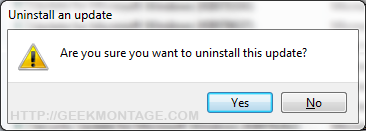
4. Right click it and hit “uninstall”. Hit okay.
5. Reboot
6. Now check for updates again and follow the above method to hide it from installing ever again!
Note: You can also do a system restore if you are worried.
I have verified this method myself and did it before publishing this article. I personally do not want any extra processes running on my computer. =)
Enjoy!
If you are flagged as having an Un-Genuine copy of Windows 7:
Steps that I recommend
1. Remove the patch using the steps below.
2. Follow the easy method below (WAT 2.1 or 2.2)
3. After that, restart your computer
5. Click the activation prompt to follow the official steps to validate your windows
6. Click the option to download the Microsoft file to re-validate your windows
7. The activator will detect your Watt 2.1 key and will act accordingly (this takes up to five minutes)
8. Reboot
9. Do a windows update check and hide that damn update!
10. Try rearming windows afterwards if that didn’t work.
=====
Rearm Windows:
1. Copy down these instructions into notepad and save it to your desktop.
2. Go to start -> hold shift and click run (If you do not see run, simply type run in the start menu’s search box and click it while holding shift)
Note: Holding shift while clicking run opens up run in administrative mode, which is necessary for this process.
3. Type in “command” or “cmd” and press enter.
4. In the command prompt window type or right click -> paste:
Reactivate Windows – Easy Method (easiest and guaranteed working): If you need to re-activate your windows, it has been reported that Blaze’s, Hazar’s and Daz’s activators work. You can easily find it on web pages. Just type “New Windows 7 Activator [2010] [blaze69], or Windows Activator Hazar Torrent” (Also known has RemoveWAT21 or RemoveWAT22 depending on version number) or “Windows Activator Daz Torrent” (Latest version 1.7.7) into Google.
From here on you can even go legitimize yourself in the future at Microsoft’s website. It doesn’t take long at all. You will already be legit though.
Method of Removing Genuine Activation Message
1. Copy down these instructions into notepad and save it to your desktop.
2. Go to start -> hold shift and click run (If you do not see run, simply type run in the start menu’s search box and click it while holding shift)
Note: Holding shift while clicking run opens up run in administrative mode, which is necessary for this process.
3. Type in “command” or “cmd” and press enter.
4. In the command prompt window type or right click -> paste:
6. Type or right click -> paste:
NOTE: This method has worked for some people but not others.
Method of Inputting Your Legitimate Product Key
Step 1. Right click My Computer and click Properties
Step 2.Scroll down to wher eit lists your current product key
Step 3.Hit “Change Product Key”
Step 4.Insert your new product key there
Step 5.Reboot Your Computer
If you have changed your Windows Key and want to re-validate:
1. Go to start -> hold shift and click run (If you do not see run, simply type run in the start menu’s search box and click it while holding shift)
Note: Holding shift while clicking run opens up run in administrative mode, which is necessary for this process.
2. Type in “command” or “cmd” and press enter.
3. Type the following or right click -> Paste:
If you need to update your bios OEM serial key:
1. Go to start -> hold shift and click run (If you do not see run, simply type run in the start menu’s search box and click it while holding shift)
Note: Holding shift while clicking run opens up run in administrative mode, which is necessary for this process.
2. Type in “command” or “cmd” and press enter.
3. Type in the following command:
1. Go to start -> hold shift and click run (If you do not see run, simply type run in the start menu’s search box and click it while holding shift)
Note: Holding shift while clicking run opens up run in administrative mode, which is necessary for this process.
2. Type in “command” or “cmd” and press enter.
3. Type the following or right click -> Paste:
Note: You can re-enable this by typing:
1. Go to start -> hold shift and click run (If you do not see run, simply type run in the start menu’s search box and click it while holding shift)
Note: Holding shift while clicking run opens up run in administrative mode, which is necessary for this process.
2. Type in “command” or “cmd” and press enter.
3. Copy and right click-> paste the following into command prompt:
Windows Activator logs all kinds of stuff about you… this is how to delete those logs.
1. Go to start -> hold shift and click run (If you do not see run, simply type run in the start menu’s search box and click it while holding shift)
Note: Holding shift while clicking run opens up run in administrative mode, which is necessary for this process.
2. Type in “command” or “cmd” and press enter.
3.Right click -> paste the following into command prompt:
Many of you need to use the EASY METHOD listed below. That is 100% guaranteed working.
Steps that I recommend
1. Remove the patch using the steps below.
2. Follow the easy method below (WAT 2.1 or 2.2)
3. After that, restart your computer
5. Click the activation prompt to follow the official steps to validate your windows
6. Click the option to download the Microsoft file to re-validate your windows
7. The activator will detect your Watt 2.1 key and will act accordingly (this takes up to five minutes)
8. Reboot
9. Do a windows update check and hide that damn update!
10. Try rearming windows afterwards if that didn’t work.
=====
To Hide the Windows Update/Disable it From Ever Installing:
1. Go to Windows Update
2. Click to View Your Optional Updates
3. Right Click the one Labeled “Update for Windows 7″ with update ID “KB971033″
4. Click “hide update.”
Uninstall KB971033 Windows 7
Activation Checker
1. Go to Windows Update
2. Hit Installed Updates (link at the bottom left corner). If that link isn’t there, hit “view update history” and hit the “installed updates” link at the top.
3. Scroll down to the section titled “Microsoft Windows” and look for update KB971033.
4. Right click it and hit “uninstall”. Hit okay.
5. Reboot
6. Now check for updates again and follow the above method to hide it from installing ever again!
Note: You can also do a system restore if you are worried.
I have verified this method myself and did it before publishing this article. I personally do not want any extra processes running on my computer. =)
Enjoy!
If you are flagged as having an Un-Genuine copy of Windows 7:
Steps that I recommend
1. Remove the patch using the steps below.
2. Follow the easy method below (WAT 2.1 or 2.2)
3. After that, restart your computer
5. Click the activation prompt to follow the official steps to validate your windows
6. Click the option to download the Microsoft file to re-validate your windows
7. The activator will detect your Watt 2.1 key and will act accordingly (this takes up to five minutes)
8. Reboot
9. Do a windows update check and hide that damn update!
10. Try rearming windows afterwards if that didn’t work.
=====
Rearm Windows:
1. Copy down these instructions into notepad and save it to your desktop.
2. Go to start -> hold shift and click run (If you do not see run, simply type run in the start menu’s search box and click it while holding shift)
Note: Holding shift while clicking run opens up run in administrative mode, which is necessary for this process.
3. Type in “command” or “cmd” and press enter.
4. In the command prompt window type or right click -> paste:
slmgr.vbs -rearm10. Reboot and your good to go~!
Reactivate Windows – Easy Method (easiest and guaranteed working): If you need to re-activate your windows, it has been reported that Blaze’s, Hazar’s and Daz’s activators work. You can easily find it on web pages. Just type “New Windows 7 Activator [2010] [blaze69], or Windows Activator Hazar Torrent” (Also known has RemoveWAT21 or RemoveWAT22 depending on version number) or “Windows Activator Daz Torrent” (Latest version 1.7.7) into Google.
- After that, restart your computer, then follow the official steps
to validate your windows. Microsoft will prompt you to install a file
which will then legitimize your windows with the new loader.
From here on you can even go legitimize yourself in the future at Microsoft’s website. It doesn’t take long at all. You will already be legit though.
Method of Removing Genuine Activation Message
1. Copy down these instructions into notepad and save it to your desktop.
2. Go to start -> hold shift and click run (If you do not see run, simply type run in the start menu’s search box and click it while holding shift)
Note: Holding shift while clicking run opens up run in administrative mode, which is necessary for this process.
3. Type in “command” or “cmd” and press enter.
4. In the command prompt window type or right click -> paste:
5. Press entertakeown /f “%windir%\System32\Wat\*”
6. Type or right click -> paste:
icacls “%windir%\System32\Wat\*” /deny *S-1-1-07. Press enter and reboot.
NOTE: This method has worked for some people but not others.
Method of Inputting Your Legitimate Product Key
Step 1. Right click My Computer and click Properties
Step 2.Scroll down to wher eit lists your current product key
Step 3.Hit “Change Product Key”
Step 4.Insert your new product key there
Step 5.Reboot Your Computer
If you have changed your Windows Key and want to re-validate:
1. Go to start -> hold shift and click run (If you do not see run, simply type run in the start menu’s search box and click it while holding shift)
Note: Holding shift while clicking run opens up run in administrative mode, which is necessary for this process.
2. Type in “command” or “cmd” and press enter.
3. Type the following or right click -> Paste:
%SystemRoot%\system32\Wat\WatAdminSvc.exe /run4. Hit enter and reboot.
If you need to update your bios OEM serial key:
1. Go to start -> hold shift and click run (If you do not see run, simply type run in the start menu’s search box and click it while holding shift)
Note: Holding shift while clicking run opens up run in administrative mode, which is necessary for this process.
2. Type in “command” or “cmd” and press enter.
3. Type in the following command:
slmgr -ipk XXXXX-XXXXX-XXXXX-XXXXX-XXXXXRemove Windows Activation Notification Mode
1. Go to start -> hold shift and click run (If you do not see run, simply type run in the start menu’s search box and click it while holding shift)
Note: Holding shift while clicking run opens up run in administrative mode, which is necessary for this process.
2. Type in “command” or “cmd” and press enter.
3. Type the following or right click -> Paste:
takeown /F %WINDIR%\System32\sppcomapi.dll && icacls %WINDIR%\System32\sppcomapi.dll /deny *S-1-1-0:F4. Hit enter and reboot
Note: You can re-enable this by typing:
icacls %WINDIR%\System32\sppcomapi.dll /grant *S-1-1-0:FRemove the WatU scheduled key checker:
1. Go to start -> hold shift and click run (If you do not see run, simply type run in the start menu’s search box and click it while holding shift)
Note: Holding shift while clicking run opens up run in administrative mode, which is necessary for this process.
2. Type in “command” or “cmd” and press enter.
3. Copy and right click-> paste the following into command prompt:
schtasks /change /disable /tn “\Microsoft\Windows\Windows Activation Technologies\ValidationTask” && schtasks /change /disable /tn “\Microsoft\Windows\Windows Activation Technologies\ValidationTaskDeadline”Delete WAT Registry Entries
Windows Activator logs all kinds of stuff about you… this is how to delete those logs.
1. Go to start -> hold shift and click run (If you do not see run, simply type run in the start menu’s search box and click it while holding shift)
Note: Holding shift while clicking run opens up run in administrative mode, which is necessary for this process.
2. Type in “command” or “cmd” and press enter.
3.Right click -> paste the following into command prompt:
REG DELETE “HKLM\SOFTWARE\Microsoft\Windows NT\CurrentVersion\Windows Activation Technologies” /fWe will NEVER post those files here and we do NOT support this. We highly encourage you to activate your windows through Microsoft buy buying it.
Friday, March 12, 2010
Translating WordFast TXML files in MemoQ
 We
sometimes receive files that have been processed using the latest
version of WordFast Pro. These are recognizable from the .txml
extension.
We
sometimes receive files that have been processed using the latest
version of WordFast Pro. These are recognizable from the .txml
extension.This format is just a specific XML structure, and as such it should be possible to translate the files using MemoQ after formatting them properly.
Open the files in WordFast and check the total number of segments
Open the TXML file in WordFast and go to the last line, taking note of the number of segments contained in the file. In the picture below note the presence of WordFast’s tag {ut1}.
Also check for the presence of text in the target column. This will cause problems, so, you will need to delete it. The presence of < > signs in the source text may create problems, so you will need to replace them with some different placeholders.
Once you have done these checks, close the file.
Open the .txml file with an editor and replace some strings
- Open the .txml file using the jEdit text editor. Click here to go to the download page. It is important to use this editor because it allows for a very simple search/replace syntax that takes care of “greedy” wildcards. You can obtain the same results using a different editor, but the syntax to use might be different.
- After opening the file in JEdit, place the cursor at the top and
choose Search > Find…
- In the Search for field, insert the string below
(be careful not to add superfluous spaces if copying from this page):
<segment(.*?)>(.*?)<source>(.*?)</source>(.*?)</segment> - In the Replace with field, insert the following
string:
<segment$1>$2<source>$3</source>$4<target>$3</target></segment> - Check that the search options are configured as in the screenshot
below:
- Click on Replace All, save the file and quit jEdit.

Open the modified file in MemoQ
- First perform a quick check by opening the file you just saved with WordFast. Now the target column should be identical to the source column, tags included. The total number of segments should be identical to the value you saw when you first opened the file in WordFast. After checking this, you can open the file in MemoQ.
- Add the .xml extension to the file name (e.g. filename.txml.xml), since MemoQ likes this better.
- Open MemoQ and create a new project. Call it for instance “Wordfast”, so you can re-use it easily for subsequent projects that involve translating WordFast files.
- Go to the Settings > Source segmentation rules pane. (Warning: NEVER modify these settings using the Tools > Options > Segmentation rules menu because this will affect the global segmentation rules. We only want to change local rules for this project.)
- Select the various segmentation rules in the Rules list on the left and delete all of them. We need to do this (only once if you the re-use the same “WordFast” MemoQ project) so that MemoQ’s segmentation has no effect on WordFast’s.
- Go to Translations > Add document as…
- Select the file with .XML extension and open it.
- The Document import settings window is displayed. Download this this MemoQ XML definition file, then click on the … on top to import this file.
- Click OK at the bottom of the window. The window closes and the file is imported.
- Open the file in MemoQ and check that the total number of segments is identical to the number you checked when opening the file in WordFast initially. MemoQ should also have inserted the any tags in the correct positions corresponding to the tags contained in WordFast.
- Translate the file normally.
- When ready, export it with Export (dialog)
Check the translated file in MemoQ
- Restore the .txml extension and open the translated file in WordFast. You should get no error messages. Check that the total number of segments is still the same, check the tag position, etc.
- Confirm all segments in WordFast (the only way I know is to press Alt – down arrow in each segment.
- Save and deliver the file. Source: http://blog.albatrossolutions.com
For version 4.X there is a workaround: Step 8: Tools -> Options -> Resource console -> Filter configurations -> Clone. Rename clone filter to Wordfast (Properties). Copy the contents of the xml filter (MemoQ XML definition file) to the file located in C:\Documents and Settings\All Users\Application Data\MemoQ\Resources\Local\FilterConfigs named XMLConverter#Wordfast. Save and close. Continue in MemoQ: The Document import settings window is displayed. Select Wordfast from the xml filter list to import this file. Now it should work, continue with step 9.
Subscribe to:
Posts (Atom)


 Posts
Posts


